What booking automation is and how it works
At its simplest, booking automation replaces a chain of manual steps with a system that runs itself. A customer fills in a booking widget or form, the system checks live calendar availability, and it confirms the appointment with an automatic calendar invite, all without a human touching the process. No more double-booking because two staff members were updating the same spreadsheet at once.
Underneath the booking widget sits the plumbing that makes this work: APIs and webhooks. An API lets the booking tool talk to your calendar, your payment processor and your CRM; a webhook fires an event the moment something happens, a new booking, a cancellation, a payment, so other systems can react instantly rather than waiting for someone to refresh a dashboard.
Payments, reminders and follow-ups are usually triggered at specific points in that flow. A deposit might be charged the moment a booking is confirmed. A reminder typically fires 24 to 48 hours before the appointment. A follow-up message, asking for a review or offering a rebooking slot, goes out once the appointment is marked complete. None of this needs a person watching the clock. Once the rules are set, the system runs the sequence every time, consistently, for every customer, whether that's booking three or booking three hundred.
The result is a booking workflow that behaves the same way at 2pm on a Tuesday as it does at 11pm on a Sunday, which matters more than it sounds, because out-of-hours enquiries are the ones nobody is there to answer.
Core features and capabilities
A booking automation system earns its place in your business through a specific set of capabilities, not a vague promise of "efficiency." Here's what actually matters when you're comparing tools:
- Two-way calendar sync: changes made on either side (your calendar or the booking tool) update instantly and flag conflicts before they become double-bookings.
- Confirmation and reminder cadence: automatic messages by email, SMS or phone, timed and worded to match your business, not a generic template.
- Payments and deposits: card payments and deposits processed through a payment gateway such as Stripe, with European payment flows supported for cross-border customers.
- APIs and webhooks: connections into your CRM, calendar provider and payment gateway so booking events update other systems without manual re-entry.
- Form customisation and data minimisation: booking forms that collect only what's needed for the appointment, which also happens to be a GDPR requirement rather than just good practice.
- Reporting and analytics: a live view of bookings, no-shows and revenue so you can spot patterns, like which day of the week generates the most cancellations, instead of guessing.
The payments piece deserves a second look. Deposits taken at the point of booking are a widely used lever against no-shows, on the reasoning that a customer who has already paid something has more reason to turn up. The research is stronger for reminders than for deposits: a BMJ Open review of 26 healthcare studies found that people sent a reminder were 25% less likely to miss an appointment, while a 2023 review described the research on fines for missed appointments as limited, with mixed results. Use the two together, which we'll come back to when we talk about implementation.
Common use cases and who benefits most
Booking automation isn't one-size-fits-all. The configuration that works for a hairdresser looks nothing like the one a property manager needs, even though both are technically "booking systems."
- Appointment-driven small businesses (salons, clinics, trades): faster confirmations mean fewer missed jobs and less time spent on the phone chasing availability.
- Property and holiday-rental managers: automated check-in instructions, guest messaging and payment collection replace a manual back-and-forth that eats evenings and weekends.
- Business travel teams: policy-aware booking flows route requests through approvals automatically and hand confirmed trips off to expense systems without a separate data-entry step.
What changes between these cases is less about the core technology and more about configuration. A clinic needs intake forms and consent capture built into the booking step. A cleaning business needs recurring-visit scheduling and deposit handling for first-time customers. A travel team needs approval routing before a booking is confirmed, not after. The automation engine is similar across all three; the fields, triggers and permissions around it are not.
How to evaluate and choose a booking automation solution
Choosing a booking tool is less about features on a brochure and more about what happens when you actually try to use it. Work through this during any demo or trial period:
- Check integration depth: confirm API and webhook availability, which calendar providers are supported (Google Calendar, Outlook, iCal), and whether multi-staff scheduling works the way your team actually operates.
- Understand the pricing model: ask whether you're paying per seat, per booking or a flat monthly fee, and what happens if you exceed usage limits.
- Confirm support arrangements: find out what support SLA applies and whether help is available at the times your bookings actually come in, not just office hours.
- Verify GDPR readiness: ask for a Data Processing Agreement (a written contract, often part of the vendor's terms), confirm export and erasure tools exist, and check that any consent you rely on, such as consent to marketing, is recorded with a timestamp rather than assumed.
- Check cookie-consent handling: an embedded booking widget can set cookies the moment it loads, and under the UK's cookie rules (PECR), non-essential cookies need consent before being set, so a widget that sets them should integrate with your existing consent banner or provide its own.
- Test operational fit: time how long setup actually takes, who needs training, and whether custom intake forms and fallback manual processes are possible for the inevitable edge case.
Before committing, run a trial that mirrors real use rather than a sandbox demo: create a handful of test bookings, simulate a payment including a refund, export a sample of client data, and run through an erasure request from start to finish. If any of those steps are slow, manual or missing, that's a sign the system isn't ready for daily use.
Pro Tip: Ask the vendor to show you the erasure process live during the demo, not just describe it. If they can't do it in under a minute, your customers won't get a reply within the one-month deadline either.
Implementation and best practices for rollout
Rolling out booking automation works best as a staged project rather than a single switch-flip. Rushing it tends to produce the exact admin chaos you were trying to avoid.
- Audit current processes: map every field your team currently collects at booking, by phone, by form or on paper, so nothing gets lost in the move.
- Choose a pilot team or property: run the new system on one location, one service line or one member of staff before rolling it out everywhere.
- Schedule go-live with fallback hours: keep a manual process available for the first week in case of a sync issue or an unfamiliar edge case.
- Test calendar sync and webhooks: book a few test appointments and confirm they appear correctly on every connected calendar, and that payment and reminder webhooks fire as expected.
- Check confirmation and reminder timing: send yourself a test booking and watch the clock. A confirmation that arrives ten minutes late undermines the whole point.
- Set a no-show reduction routine: pair a short confirmation window with a deposit requirement and a reminder sent 24 to 48 hours ahead, with an easy one-tap rescheduling link.
Data hygiene belongs in this same rollout, not as an afterthought. Set a retention period for booking data, collect only the fields you genuinely need, and document every sub-processor your booking tool uses, including payment and messaging vendors, and check that your agreement with the tool's provider covers them. Have a breach procedure written down before you need it, not during an incident.
Publisher example: how subba implements booking automation
We built subba to answer customer enquiries the moment they arrive, in web chat and through contact forms, and by phone with the phone add-on, rather than making customers wait for a callback. Web chat gets an instant reply that follows the business's own details and tone, because a scripted, generic reply often feels as impersonal as no reply at all.
From there, the booking form captures what's needed, availability updates in real time, and a confirmation goes out automatically. One reminder follows about a day before, and deposits or full payments can be collected through Stripe at the point of booking, which gives customers a reason to turn up.
For contact-form enquiries, business owners can have the AI draft each reply for approval before switching to automatic sending, keeping oversight during the transition rather than handing everything over on day one. Setup starts from a profile for your trade, including booking systems for hairdressers, booking systems for cleaners, and booking systems for aesthetic clinics, each built around how that kind of business usually takes bookings.
How booking automation plays out in different industries
The pattern across industries tends to repeat: businesses that automate confirmations and reminders see a drop in administrative load and an improvement in cash flow, because deposits and payments are collected automatically at the point of booking rather than chased afterwards. What follows is the typical pattern for each kind of business, not measured results.
A hairdresser or barber running back-to-back appointments feels this most acutely in staff time: every phone call answered is a few minutes away from a client in the chair. A cleaning business dealing with recurring visits benefits more from the deposit and reminder combination, since a first-time customer has no history with the business yet. Clinics see the biggest shift in intake quality, since automated forms capture consent and essential details consistently, where a rushed phone call might miss something.
Business travel teams see a different kind of impact. The value isn't just booking speed, it's that policy, approvals and risk management get embedded directly into the booking workflow, so a trip can't be confirmed before it's been checked against company rules. Teams that pilot a single workflow and measure admin time and no-show reductions over the first few months tend to see the clearest return before expanding automation further.
How booking automation can be personalised to mimic different communication styles and tones
A booking confirmation that reads like it came from a call centre undermines the relationship a small business has spent years building with its customers. Personalisation in booking automation means the automated response sounds like the actual business, not a generic template bolted onto a form.
This matters most at the first point of contact. A dental clinic's confirmation message should read calmly and reassuringly; a barber's might be short and casual; a tradesperson's should be direct and practical, confirming time, address and what to expect. Getting this wrong doesn't just look unpolished, it can make a customer question whether they booked with a real business at all.
subba's AI replies follow the business details and tone the owner writes into its settings, whether that's warm and chatty or brief and efficient, in web chat and contact-form replies. It does not learn a writing style by itself, though an owner can teach it the right answer to a question. Booking confirmations and reminders are standard messages that carry the business's name, and their wording can't be edited. The aim is a customer experience that feels consistent with every other interaction they've had with that business, even when no one typed the message in real time.
Strategies for balancing automation with human oversight to maintain personalisation
Full automation from day one is rarely the right starting point, even when the technology is capable of it. The businesses that get the most value tend to keep a human in the loop during the transition, reviewing automated responses before they go out, then gradually widening what's handled automatically as confidence builds.
A practical approach is to start with draft mode: the system generates a response, a staff member reviews and sends it, and only once a pattern of accuracy is established does the business switch specific message types, confirmations first, then reminders, then more complex enquiries, to fully automatic. subba works this way for contact-form enquiries: the AI drafts each reply for the owner to approve, and the owner can switch to automatic sending later. Its web chat and phone answers are live from the start, and its booking confirmations and reminders send automatically.
Oversight shouldn't disappear once automation is live, either. Spot-checking a sample of automated responses weekly catches tone drift or edge cases the system handles awkwardly, like an unusual booking request that doesn't fit the standard flow. The goal isn't to automate everything possible; it's to automate the repetitive, time-sensitive tasks (confirmations, reminders, standard enquiries) while keeping a person available for anything that needs judgement, a complaint, a special request, or a customer who simply wants to speak to someone.
Troubleshooting common issues in booking automation systems
Most booking automation problems trace back to one of a handful of causes, and recognising the pattern saves hours of guesswork.
Calendar sync failures are a common complaint. Usually this comes down to a permissions issue (the calendar account hasn't granted full access) or a timezone mismatch between the booking tool and the calendar provider, which shows up as appointments landing an hour off. Checking the account connection and timezone settings first resolves most of these.
Missed or delayed reminders typically point to a webhook that isn't firing correctly, often because an integration was updated on one side (a CRM update, a calendar provider change) without the booking tool being reconnected. Re-authenticating the connection usually fixes it.
Payment failures during booking are frequently a Stripe configuration issue, an expired API key, a currency mismatch, or a webhook for payment confirmation that isn't registered correctly. Testing a payment end to end after any integration change catches this before a customer hits it live.
Duplicate bookings tend to appear when two systems are both allowed to write to the same calendar without one being the source of truth. Designating a single calendar as authoritative and syncing everything else to read from it, rather than write to it, generally solves this.
When in doubt, the fastest fix is usually to recreate the exact booking a customer attempted and watch where in the sequence it breaks, rather than guessing from a support ticket description.
Security best practices beyond GDPR for booking data protection
Compliance is the floor, not the ceiling, when it comes to protecting booking data. A few practical habits go further than the minimum legal requirement.
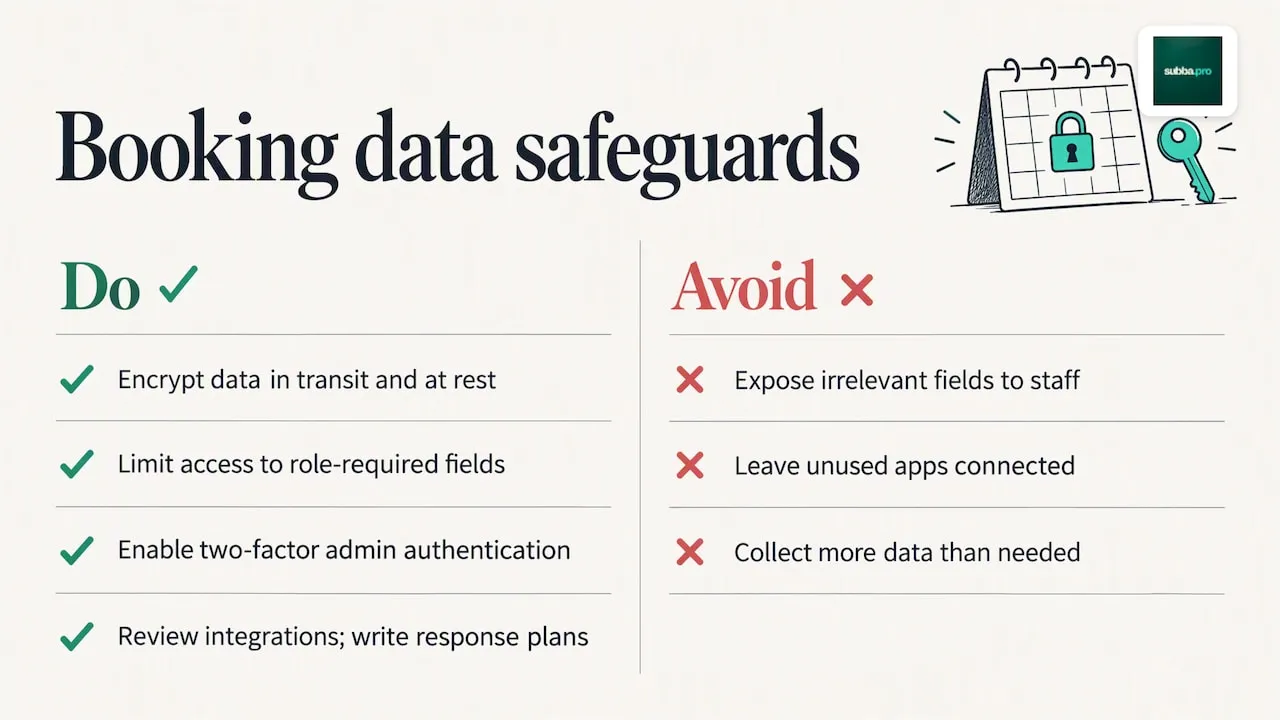
Encrypt booking data both in transit and at rest, and make sure your booking provider does the same, not just for payment details but for names, phone numbers and appointment notes, which are often more revealing than people assume. Limit staff access to only the fields each role actually needs; a receptionist booking appointments doesn't need visibility into payment card details, and a cleaner's scheduling app doesn't need access to a client's full service history.
Use two-factor authentication on any account that can access the booking system's admin panel, since a compromised login there exposes every customer record at once, not just one booking. Review third-party integrations periodically, each connected app (CRM, payment gateway, messaging tool) is a potential point of exposure, and a tool you stopped using six months ago but never disconnected is a risk sitting idle.
Keep an incident response plan written down before you need it: who gets notified, how customers are informed, and what the recovery steps are. For sensitive services, choosing infrastructure hosted in-jurisdiction and minimising the data collected at the booking step reduces exposure more than any single security feature can.
Author perspective: when to automate now and what to prioritise
Automation pays off fastest where booking volume is high and the service is repeatable: salons, clinics, tradespeople, travel teams booking the same kind of trip repeatedly. If that's you, prioritise one shared diary, confirmations and reminders first; those three take out most of the admin and help with no-shows.
Resist the urge to wire up every integration before the basic flow is stable. A clean, working booking-to-confirmation sequence beats a half-finished CRM connection every time.
Roland
subba: an AI receptionist that handles bookings
If building and maintaining your own booking stack sounds like more admin than it saves, subba is an AI receptionist and booking system that is already built. It answers web chat instantly, and phone calls with the phone add-on, sends a confirmation and one reminder for each booking, and takes deposits or payments through Stripe without you touching a spreadsheet.
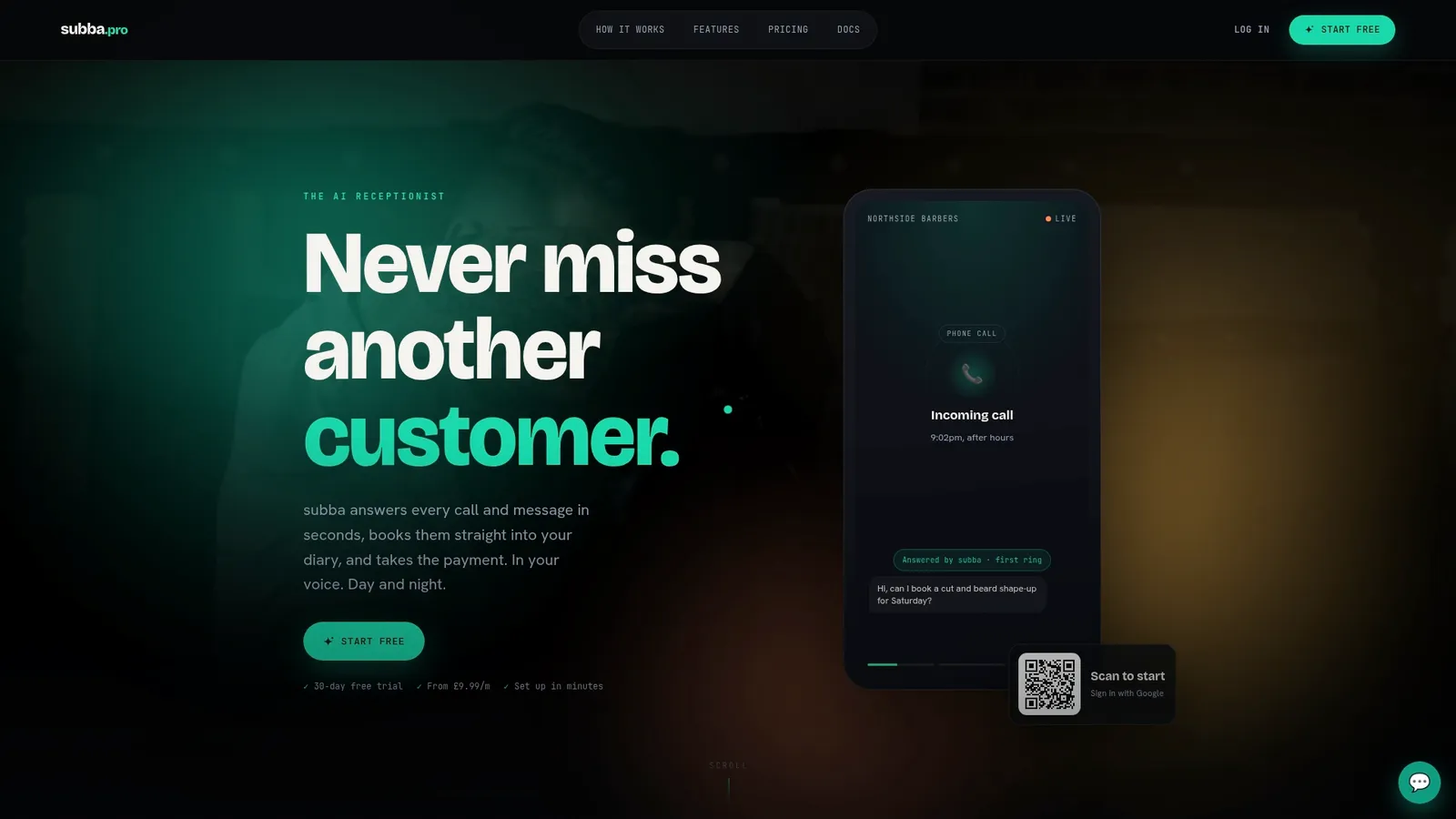
Every plan includes the same features for one monthly price, with no commission taken on your bookings; the plans differ only in how many AI enquiries are included. Starter runs £9.99 a month, Pro at £49.99 a month, and Studio at £99.99 a month. Text messages (from £9.99 a month for 250) and phone answering (from £29.99 a month for 100 minutes) are optional add-ons. Visit our pricing page to compare plans, or explore how it works for hairdressers and salons and beauty salons before signing up.