What to include in every booking confirmation message
A good confirmation message does one job: it removes doubt. The customer should be able to forward it to a partner, a colleague or a calendar app and have every question answered without replying to ask.
Every message, whether it is an email or a text, needs the same core fields:
- Date and start time, plus an estimated duration so the customer can plan around it.
- Location or link: a full address with access notes for in-person visits, or a clear "online" label with the meeting link for remote appointments.
- Contact details and a cancellation or reschedule option, so the customer has a route to act without phoning around.
- A reference or booking number, which becomes essential if anything needs to be queried later.
- Payment or status information: whether the slot is paid, held pending a deposit, or confirmed outright.
That last point trips up more businesses than any other. A booking marked "confirmed" when it is actually "pending card details" creates a dispute the moment the customer turns up expecting a finished transaction. Use plain status words, "confirmed", "held" or "awaiting payment", and keep them consistent across every message a customer receives for that booking.
Short templates and examples: email and SMS booking confirmations
Templates save time, but only when the placeholders are filled in consistently. Use a fixed naming pattern such as {customer_name}, {ref}, {date}, {time} and {link} so your booking software or CRM can substitute them automatically, and never leave one unresolved in a message a customer actually receives.
Three email starting points cover most small businesses:
- Formal confirmation: "Dear {customer_name}, this confirms your appointment on {date} at {time}. Reference: {ref}. Reply to this email to amend or cancel."
- Friendly confirmation: "Hi {customer_name}, you're all set for {date} at {time}. Your reference is {ref}, we'll send a reminder nearer the time."
- Payment-required or held: "Hi {customer_name}, we've held your slot for {date} at {time} (ref {ref}). This is confirmed once your deposit is received."
For SMS, keep it to two patterns: an immediate confirmation with full details, and a low-data short version ("Booking {ref} confirmed for {date} {time}. Reply CANCEL to change.") for providers whose customers prefer brevity.
Timing and sequence: how many messages and when to send them
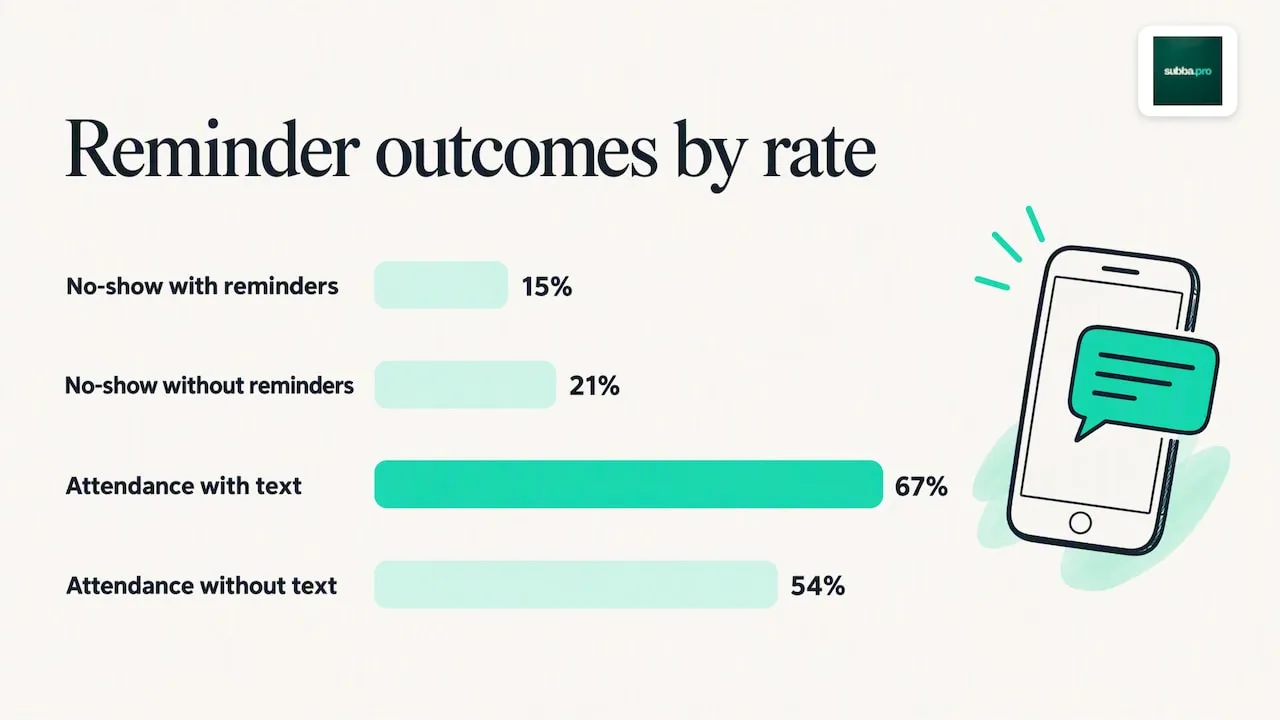
One message is rarely enough. A systematic review and meta-analysis of electronic reminders found that the pooled no-show rate dropped to 15% with reminders, against 21% without, a risk ratio of 0.75, and that sending multiple reminders improved on a single message further still. The same review, published in BMJ Open, found attendance of 67% in groups that received text notifications, against 54% in groups that did not.
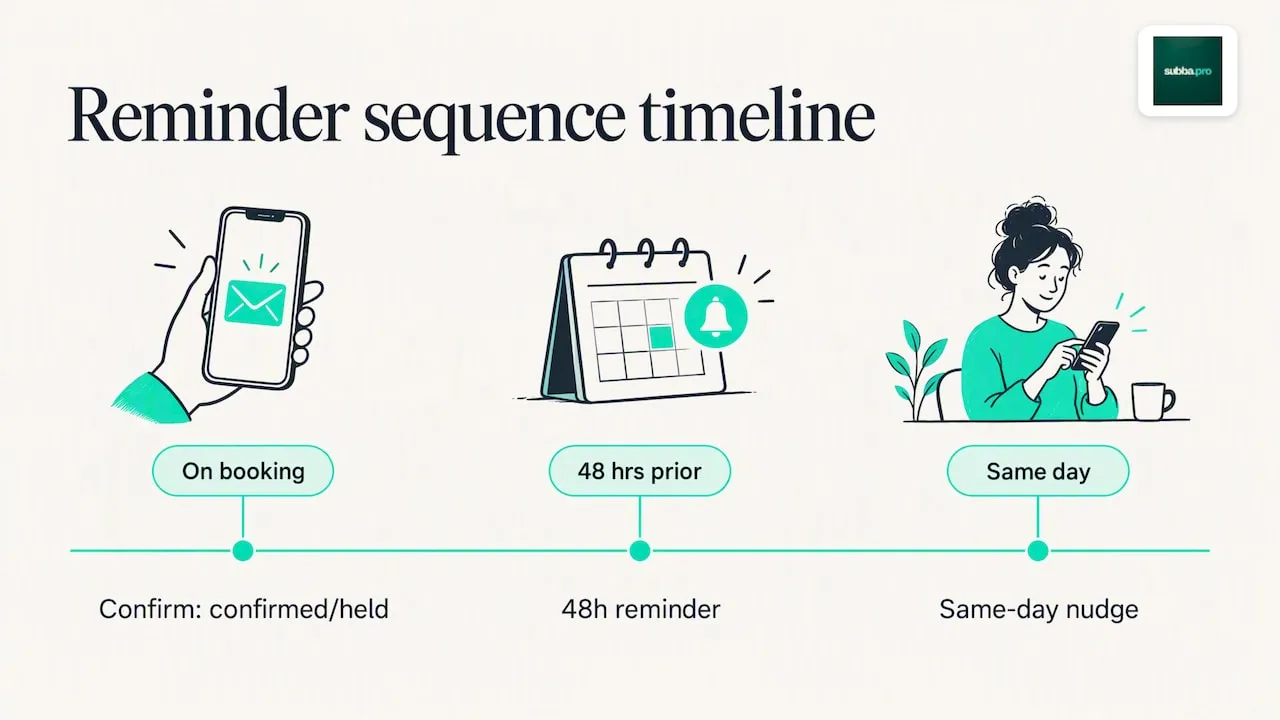
A practical three-message sequence works for most service businesses:
- Immediate confirmation the moment the booking is made, while the details are fresh.
- A reminder around 48 hours before the appointment, giving enough notice to reschedule.
- A same-day check-in, a few hours ahead, as the final nudge.
Adjust the spacing by business type: a dental clinic might add a pre-appointment instruction message, a salon might fold the 48-hour reminder into a single text, and a home-visit tradesperson often benefits from a same-morning "on our way" message instead of a generic reminder.
Channels, subject lines and message formatting that get read
A confirmation email with a vague subject line gets ignored. Use a formula that states the fact: "Booking confirmed: {date} at {time}" works far better than "Thanks for your booking!" For SMS, lead with the business name and the word "confirmed" or "reminder" in the first few words, never with a promotional phrase that risks being mistaken for spam.
- Attach an ICS calendar file so the appointment lands directly in the customer's calendar app.
- Put the booking reference near the top, not buried in a footer.
- Bold the date and time in emails so a scanning reader catches the essentials in two seconds.
- Include an explicit link or number to change or cancel, rather than asking the customer to "reply if you can't make it".
Pro Tip: Keep paragraphs to one or two lines in confirmation emails: customers scan these on a phone, they don't read them.
Legal and consent essentials for sending booking messages
Transactional appointment messages, confirmations, reminders and status updates, generally sit under legitimate interest, so you don't need separate marketing consent to send them. The moment a message includes promotional content, a discount code, an upsell, a request to leave a review, it becomes direct marketing, and PECR requires specific consent for that.
- Keep an unticked opt-in box for marketing communications, never pre-ticked.
- Keep transactional messages purely functional: no offers, no cross-sell, just the booking facts.
- Record consent and timestamps for any marketing messages you do send, in case of a query later.
- Offer a clear opt-out on anything that strays beyond pure transactional content.
Ofcom's research into business-to-consumer text messaging found that UK consumers generally see A2P SMS as a legitimate channel for appointment and personal information, which supports using SMS for confirmations rather than relying on email alone.
How to automate confirmations and keep them personal
Store your templates in one place, your booking platform, your CRM or your email service, so every member of staff sends the same wording rather than improvising. Placeholders should pull directly from the booking record to avoid typos in names or times.
- Send "confirmed" only once payment or internal approval is complete; use "held" for anything pending.
- Attach ICS files automatically so calendar syncing never depends on the customer doing it manually.
- Route SMS through a dedicated gateway and allow two-way replies so a customer can cancel by texting back.
- Keep a fallback channel, email if SMS fails, a phone call if both bounce, for bookings that matter.
Why clear confirmations reduce disputes and no-shows
The most common mistake is not missing information, it is ambiguous status wording. "Confirmed" has to mean confirmed. A reference number on every message turns a confused phone call into a ten-second lookup, which matters most exactly when something has gone wrong. Automation does not replace that discipline, it scales it, so the hundredth booking gets the same clarity as the first.
Roland
Our take: templates matter less than the sequence
Most advice on this topic obsesses over wording, the perfect subject line, the friendliest tone, when the bigger lever is timing. A beautifully worded single confirmation still leaves a gap of days or weeks where a customer forgets, double-books or simply loses the email. The evidence on reminder sequences is clearer than the evidence on phrasing: multiple touchpoints reduce no-shows more reliably than any one perfectly crafted message.
So prioritise the sequence first: confirmation on booking, a reminder at 48 hours, a same-day nudge. Get that right with plain, honest status language, "confirmed" means paid and locked in, "held" means pending, and the templates become a finishing touch rather than the main event. Businesses that skip straight to polishing their email copy while sending only one message are optimising the wrong variable. Fix the timing, keep the wording functional, and the disputes largely take care of themselves.
Automating confirmations and reminders without losing your voice
We build AI receptionist services around exactly this problem: confirmations and reminders that go out automatically, without you drafting each one by hand. An AI receptionist can answer enquiries by phone, web chat or booking form, send the confirmation and a reminder the day before automatically, and mirror the way you actually talk to customers rather than sounding like a generic bot.
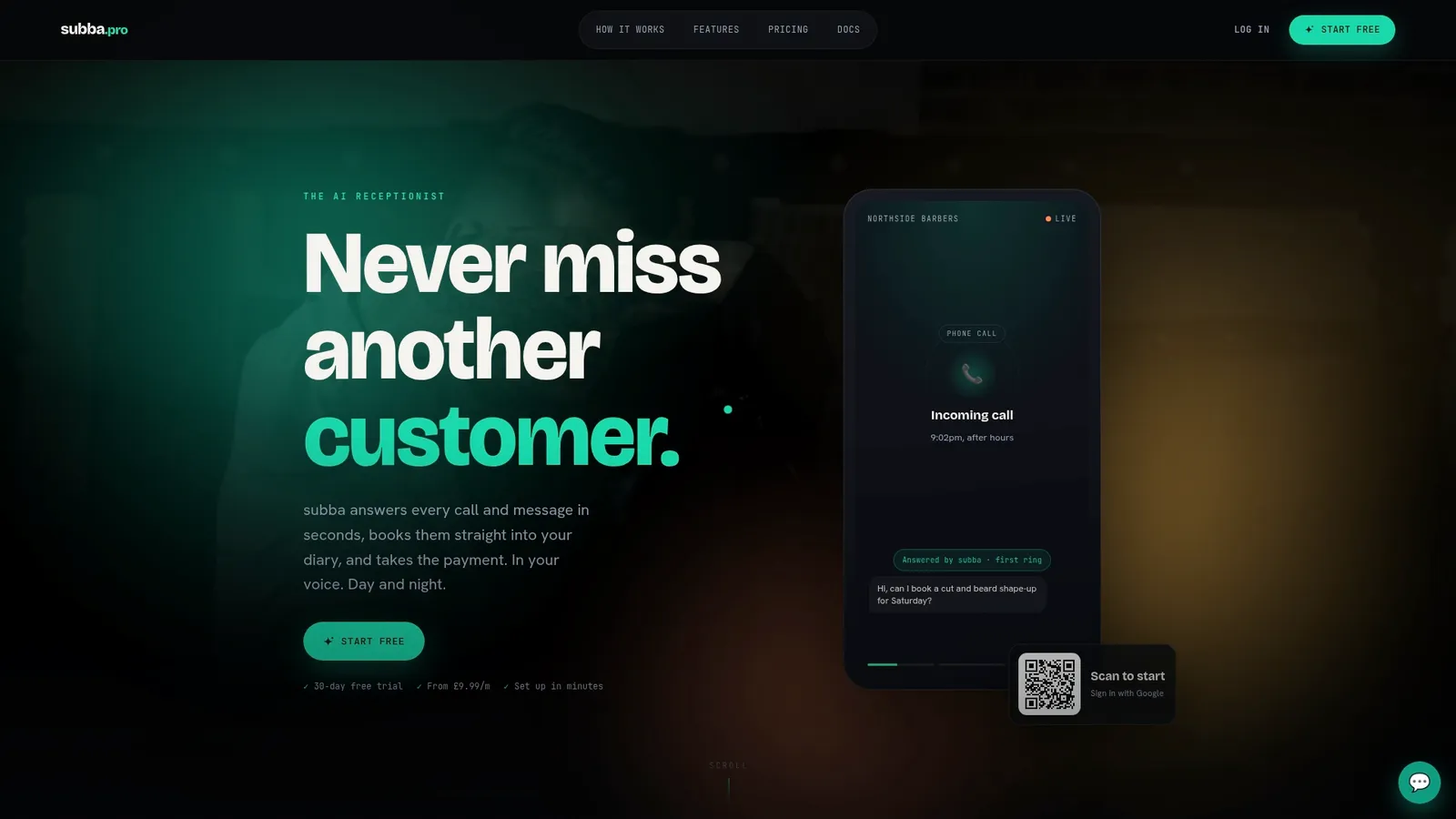
- Confirmations go out by email, and reminders by email or by text with the SMS add-on, without you touching a keyboard.
- Setup adapts to your sector, whether you run a salon, a massage or therapy practice or a cleaning business.
- Plans typically include the booking and reminder system with no commission on the bookings you take.
Have a look at our pricing page to see which plan fits your booking volume, or visit subba to see the full picture of how the receptionist works.