What a traditional IVR is and how it works
Interactive voice response, or IVR, is the automated phone system you reach when a recorded voice says "press 1 for sales, press 2 for support." It routes calls using menu trees, keypad input (DTMF tones) or basic spoken keywords, matching what the caller presses or says to a fixed set of outcomes.
IVR has done the heavy lifting in call centres and small business phone lines for decades because it's cheap to run and predictable to manage. It typically handles three jobs well:
- Call routing, sending callers to the right department or extension based on a menu choice.
- Queueing, holding callers in order and sometimes announcing wait times or queue position.
- Simple self-service, such as reading out opening hours, account balances or appointment confirmations.
The limits show up quickly once a caller's need doesn't match the menu. Deep, nested menus cause drop-off, callers hang up rather than press through five layers to find "something else." IVR also struggles with multi-intent calls: someone who wants to reschedule an appointment and ask about pricing has to navigate two separate menu paths or get passed between them. For straightforward, high-volume routing, none of this matters much. For anything conversational, it becomes the main source of caller frustration.
What an AI receptionist actually does on the phone
An AI receptionist, sometimes called an AI voice agent, replaces the menu entirely. Instead of pressing buttons, callers speak naturally and the system works out what they want. Under the hood, it combines automatic speech recognition (turning speech into text), natural language understanding (working out intent from that text), dialogue management (deciding what to say or do next) and integrations that connect the conversation to real business systems like a calendar or payment processor.
In practice, this means an AI receptionist can commonly handle:
- Appointment booking and rescheduling, checking live availability and confirming a slot without a human picking up the phone.
- Answering routine questions, such as pricing, opening hours or service details, in full sentences rather than a recorded menu.
- Taking basic payments and sending reminders, reducing the admin that normally falls on reception staff.
Getting this right takes some setup. Vendors typically need a set of training phrases that reflect how your customers actually ask for things, a working connection to your calendar or CRM, and a clear fallback path so a confused or distressed caller gets transferred to a person rather than stuck in a loop.
Pro Tip: Test your AI receptionist with real recordings of past calls, including the awkward, mumbled or badly phrased ones, before trusting it with live traffic.
IVR vs AI receptionist: comparing capability and outcomes
The two systems solve different problems, and the gap shows most clearly when you line them up against the metrics that actually affect revenue.
| Factor | Traditional IVR | AI receptionist |
|---|---|---|
| Caller experience | Menu-driven, can feel slow for complex needs | Conversational, handles natural speech |
| Resolution rate | High for simple, single-intent calls | Higher for multi-intent and booking tasks |
| 24/7 availability | Yes, but limited to pre-set options | Yes, with live booking and FAQ handling |
| Integration ability | Basic routing to systems, limited two-way data | Deep integration with calendars, CRM, payments |
| Setup complexity | Low, mostly menu configuration | Moderate, needs training phrases and integration |
| Cost model | Low per-line cost | Subscription or usage-based, scales with features |
A dental practice fielding mostly appointment requests will see more bookings completed through an AI receptionist, because the caller never has to find the right menu option for "reschedule." A large utility company fielding millions of simple "pay my bill" calls may still find IVR the more cost-effective front door, since the task is narrow and predictable.
A voice AI vendor's commentary on the shift from menu-driven systems to conversational tools makes a similar point: voice AI is increasingly framed as handling end-to-end tasks like bookings, rather than just directing traffic to the right queue.
Three KPIs worth tracking in procurement: call abandon rate (callers hanging up before resolution), phone-to-booking conversion rate, and average handling time per call. If your current IVR shows a high abandon rate on anything beyond the first menu level, that's a strong signal callers want to talk, not press buttons.
When IVR still makes sense: use cases and buyer profile
IVR isn't obsolete. It remains the right tool in several common situations:
- High-volume, predictable routing, where most calls fall into a handful of known categories and speed of routing matters more than conversation.
- Simple informational needs, such as reading out hours, locations or basic account status without any back-and-forth.
- Temporary campaigns or tight budgets, where a quick, low-cost menu covers a short-term spike in calls without a long-term system commitment.
Small contact centres running a handful of simple queues, or organisations not yet ready to connect phone systems to a calendar or CRM, tend to get the most value from sticking with IVR for now.
If you're keeping IVR, you can still cut a good deal of the frustration out of it. Shorten menus to three or four options, use plain language instead of department jargon, and build in a direct option to reach a human early rather than burying it at the bottom of the tree. Those changes alone fix most of the drop-off problem without touching the underlying technology.
When an AI receptionist is the better choice
The businesses that gain the most from switching share a common pattern: calls are appointment-heavy, callers expect a response outside office hours, and a meaningful share of calls involve more than one request at once.
- Appointment-heavy businesses such as clinics, salons and trades firms, where every missed call is a missed booking.
- Teams needing genuine 24/7 cover without paying for overnight or weekend reception staff.
- Conversion-sensitive operations, where a caller who can't get through quickly books elsewhere.
Expected gains include higher phone-to-booking conversion, fewer callers abandoning before they reach a human, and fewer no-shows when reminders are built into the booking flow itself. When comparing vendors, ask for concrete evidence rather than feature lists: specific success metrics, example call recordings or transcripts, and typical response times for a live caller.
How to move from IVR to an AI receptionist
Switching doesn't need to happen in one leap. A phased rollout keeps risk low and gives you real data before you commit fully.
- Audit your current call patterns, logging what callers actually ask for and where IVR currently causes drop-off.
- Define clear objectives, such as reducing no-shows by a set margin or increasing phone bookings.
- Run a small pilot on your highest-value call flow, typically bookings or rescheduling, rather than replacing the whole system at once.
- Integrate the essentials: calendar sync, CRM, and payment processing, so the AI receptionist can actually complete tasks, not just talk about them.
- Scale gradually, expanding to FAQs, cancellations and other call types once the pilot proves out.
Before go-live, confirm your phone routing setup (whether that's SIP trunking or a vendor's own phone add-on), decide how call data will be stored and for how long, and build a clear fallback path for calls the system can't handle. Train staff on when and how to intervene, write test scripts covering your trickiest real calls, and keep a rollback plan ready in case the pilot needs adjusting.
Pro Tip: Run your pilot for at least two to three weeks before judging results. Early metrics often dip while the system learns your call patterns, then improve once intent mapping settles.
Regulatory and trust considerations for automated voice calls
Automated calling isn't just a technology choice, it's a compliance one. ICO guidance on telephone marketing requires organisations to screen call lists against the TPS and CTPS and bars automated marketing calls without specific consent; any automated marketing call must identify the caller and give a contact address or freephone number.
Ofcom warns that silent and abandoned calls are a misuse of communications services and can trigger enforcement action, so systems need to be designed to prevent over-dialling or premature disconnection.
Before signing with any vendor, insist on:
- Consent logging, so you can prove permission was given for any marketing call.
- Clear number display and caller identification on outbound calls.
- Opt-out handling and human fallback, with full call logging for audit purposes.
Measurable outcomes businesses see from switching
The clearest way to judge whether an AI receptionist is worth the switch is to look at what changes in the booking funnel once it's live. A clinic that previously lost calls to voicemail during lunch or after hours typically sees more of those calls convert into booked appointments, simply because someone, or something, answers.
No-shows are the other place the impact tends to show up. When reminders are built directly into the booking flow rather than handled as an afterthought, fewer customers forget their slot, because the confirmation and reminder come from the same system that took the booking, in the same tone the business normally uses. subba is built around that connection: the booking, the reminder and the follow-up all sit in one flow rather than three disconnected tools.
Faster response time matters too. A caller who gets an answer and a booked slot within the same call is far less likely to ring a competitor while waiting for a callback. For appointment-based businesses, that single change, answering instantly instead of taking a message, is often where the bulk of the improvement comes from, more than any individual feature on a spec sheet.
None of this requires replacing every system at once. Businesses that start with their highest-value call flow, usually bookings and cancellations, get a clear read on conversion and no-show impact before deciding how far to extend automation into FAQs or payments.
Procurement priorities and common pitfalls
Having looked at both sides of this comparison, the mistake I see most often is choosing on feature count rather than measurable caller outcomes. A long list of integrations means nothing if the system still fumbles a simple rescheduling request.
Prioritise integration feasibility and real conversion data over glossy demos. Pilot your highest-value call path first, bookings and reminders usually show the clearest return, and measure the actual shift in conversion and no-shows before expanding further.
The other point worth holding onto: keep business owners in control of tone and escalation rules. The safest rollouts keep a human reviewing responses before the system goes fully automated, rather than handing over every call from day one.
Roland
How subba helps you make the switch
We built subba around the problems that actually cost appointment-driven businesses money: calls that go unanswered, bookings that slip through a web form nobody checks, and reminders that never go out. We answer by web chat and contact form, and by phone with the phone add-on, 24/7, in a tone that matches how you'd actually talk to your customers.
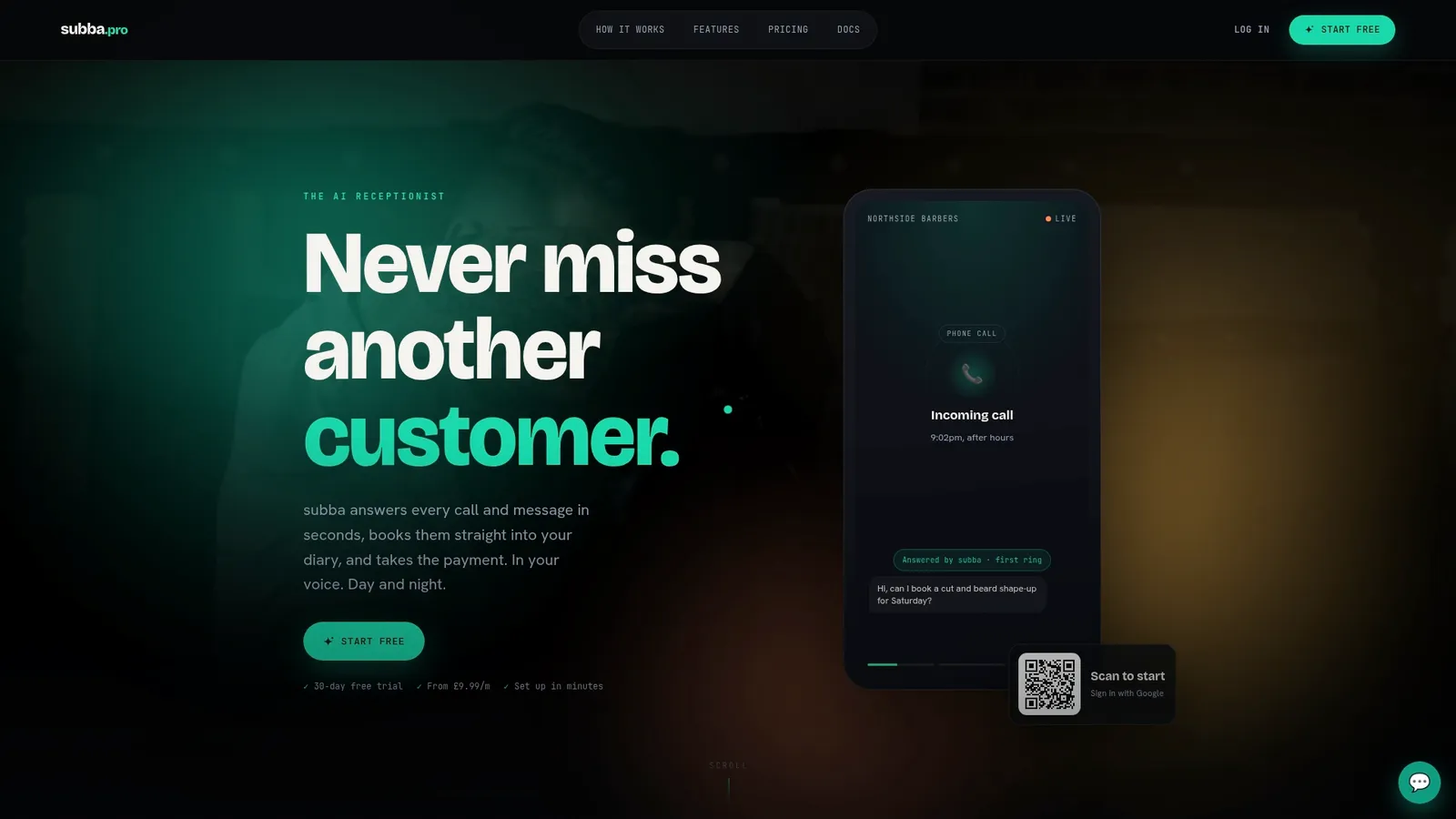
That procurement checklist above maps directly onto how we work. We integrate with Google Calendar and take payments through Stripe, let you approve contact-form replies before switching to full automation, and charge no commission on bookings.
- Starter at £9.99 a month. If we build your website, hosting adds £10 a month on Starter.
- Pro at £49.99 a month for growing enquiry volume.
- Studio at £99.99 a month for the highest enquiry volume.
- Optional phone add-ons from £29.99 a month for 100 minutes, scaling up as call volume grows.
If you run a clinic, salon or trades business and recognise the booking gap this article describes, our pricing page has the full breakdown, and our features page covers the integrations in more detail.